 NexGPU-算力租赁,GPU服务器,GPU云算力,AI服务器租用-新闻博客
Running open-source large models locally with Ollama has become a standard practice for developers and AI enthusiasts. However, as model parameter sizes increase and context length requirements grow, VRAM often becomes an insurmountable bottleneck. Many people face the reality that models won't run, or they are forced to buy expensive hardware just to run them.
Instead of investing heavily in physical machines that are difficult to upgrade, consider NexGPU's hourly cloud computing solution. With NexGPU, you can rent GPUs on demand based on your current tasks, whether you need entry-level VRAM or enterprise-grade high-concurrency inference, you can find the optimal solution.
Why Choose NexGPU for Running Ollama?
1. Precise GPU Selection, Say Goodbye to VRAM Anxiety
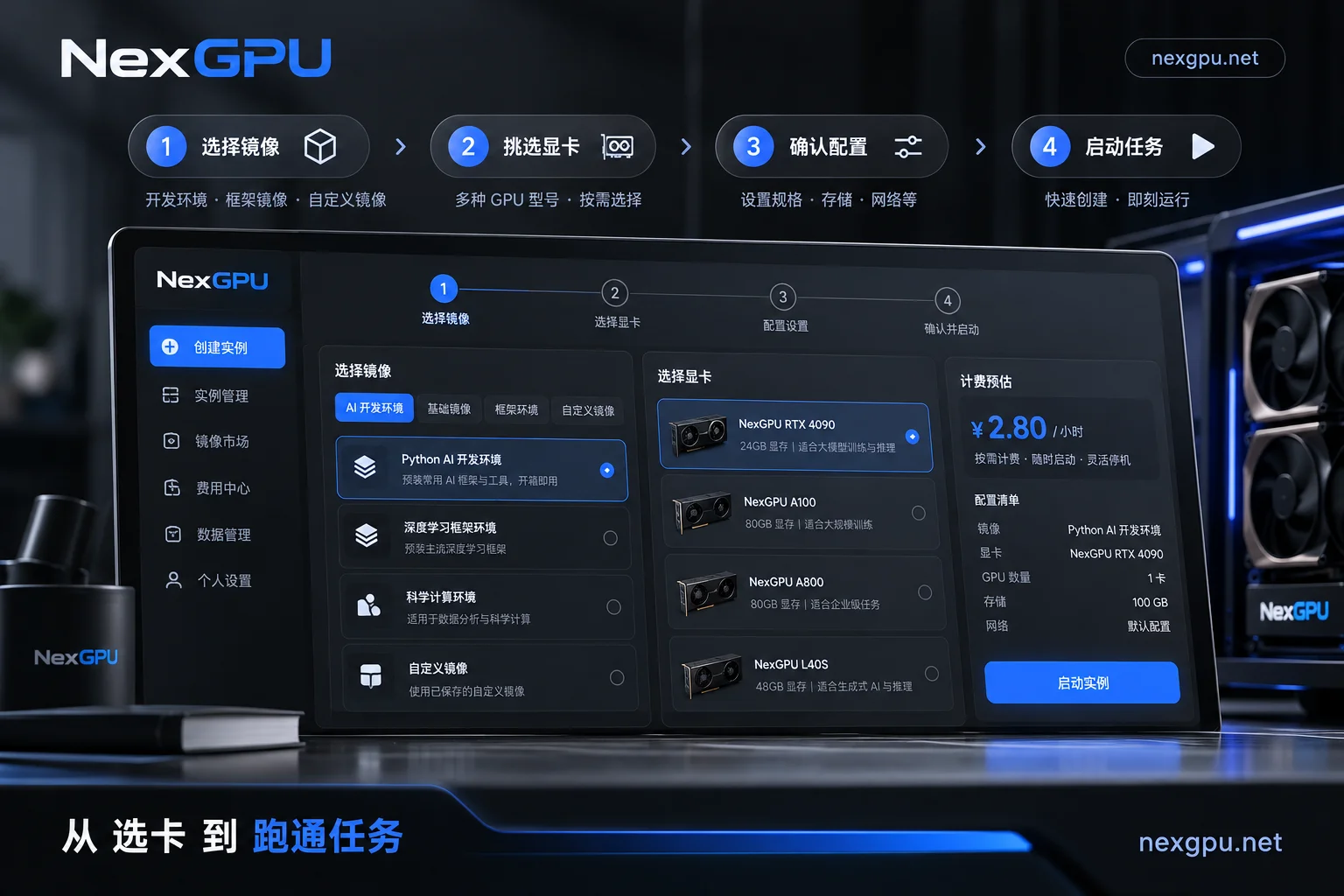
NexGPU's GPU Marketplace offers an extremely intuitive filtering method. Each machine clearly displays VRAM, region, and real-time pricing. If you encounter OOM (out-of-memory) errors when running large models, simply check the Model GPU Selection Guide in the backend to choose the most suitable VRAM configuration based on the quantization requirements of your target model, avoiding cost waste from over-provisioning.
2. Minimal Deployment Experience: Ready to Use Out of the Box
Setting up a traditional cloud server environment is often time-consuming and labor-intensive. With NexGPU, you only need to select a pre-installed Ollama image template when creating an instance. These images come with drivers, CUDA environment, and necessary dependencies pre-configured, and you get an OpenAI-compatible interface immediately after the service starts. If your code has specific CUDA version dependencies, NexGPU also fully supports custom Docker images.
3. Flexible Billing: Spend Every Penny Wisely
NexGPU insists on per-second metering and hourly billing, with no minimum consumption or prepayment thresholds. You are only billed while the instance is running; after shutdown, only storage fees apply. This means you can think of "renting a GPU" as a developer's "on-demand charging station"—after training or inference tasks are completed, you can destroy the instance with one click to immediately release resources. Bills are transparent and visible in real-time. Learn more about billing rules.
4. Seamless Scalability from Individual to Enterprise
For beginners, you can easily rent a single RTX 3090 or 4090 for debugging; for R&D teams, NexGPU provides high-performance multi-GPU nodes (A100/H100/H200, etc.) with RDMA high-speed interconnect and private networking, easily handling complex distributed inference and fine-tuning needs.
Next Steps: How to Get Started?
If you are ready to migrate or upgrade your Ollama inference environment, you can refer to the following paths:
- Check current model requirements: Visit the NexGPU Model GPU Selection Guide to quickly locate the VRAM tier suitable for your model.
- Quick Start: See the Beginner's Guide to go from registration to connecting to a server in just a few minutes.
- Get computing power support: Go directly to the GPU Marketplace to pick a suitable machine and start your journey to AI computing freedom.
Note: The site also offers practical guides on vLLM high-concurrency migration and DeepSeek model deployment for further reference.



