 NexGPU-算力租赁,GPU服务器,GPU云算力,AI服务器租用-新闻博客
H100 rental pay-as-you-go prices have dropped to $1.99–$2.99 per GPU-hour, with a median of $2.29–$3.12. Whether you should rent one depends on whether your workload truly saturates the 80GB VRAM. You've just started your training script, and within ten minutes, VRAM usage approaches 80GB, prompting you to stare at the monitoring dashboard in hesitation. According to the August 2026 price comparison, the B200 averages $7.11 per GPU-hour, while the H200 ranges from $2.60 to $4.50. The H100 sits in between, offering a compelling price-performance anchor.
Below, I'll provide a price snapshot, then give you five self-check criteria, and finally a checklist for running a side-by-side benchmark under identical workloads—note that these price and VRAM assessments are based on public monitoring data from March to August 2026, and may vary by region and contract terms.
Price Snapshot: H100, H200, and B200 Price Differences Side by Side
The table below compares the pay-as-you-go prices for H100 rentals and adjacent GPU types. These prices are ranges, not fixed quotes from a single provider, and the per-GPU equivalent price for 8-card nodes from traditional hyperscale cloud providers is typically higher.
| GPU Model | Pay-as-you-go Average (USD/GPU-hour) | Spot/Reserved Minimum | Notes |
|---|---|---|---|
| H100 | $1.99–$2.99 | Not separately tracked | Primary pricing range from specialized GPU cloud platforms |
| H200 | $2.60–$4.50 | Not separately tracked | Higher VRAM and bandwidth, but priced higher |
| B200 | $7.11 | $3.35–$3.60 | Higher average, attractive spot pricing |
The per-GPU equivalent from hyperscale cloud providers ($3.00–$8.00+) is significantly higher than specialized GPU clouds, which can be attributed to contract types, region, and additional services like storage and networking. Price ranges are from GetDeploying's price index for B200/H100 across 26 cloud providers (August 2026) and GMI Cloud's H100 rental/purchase cost analysis (April 2026), with monitoring from March to August 2026. Spot instances and reserved modes on some platforms can further lower unit prices, but you'll need to accept interruptions and requeueing.
Criterion 1: Does 80GB VRAM Fit? Accounting for Weights, KV Cache, and Intermediate Tensors
VRAM usage isn't just about weight size; you need to account for three parts: weights × precision bytes + KV cache + activation and fragmentation headroom. For example, with a 70B model, using 4-bit AWQ quantization for inference or QLoRA fine-tuning requires roughly 35–73GB of VRAM, which can fit within a single H100's 80GB. However, for FP16 full parameter fine-tuning, a 70B model requires over 1TB of VRAM, necessitating 8×H100s or multi-node configurations.
Here's a rough calculation: VRAM for weights = parameter count × bytes per parameter (2 bytes for FP16, 0.5 bytes for INT4), plus the KV cache for the input sequence, and finally leave a 15–20% buffer. So, do you need to rent an H100 to fine-tune a 7B model? With FP16, 7B weights are only about 14GB, and mid-range GPUs are usually sufficient unless you're simultaneously running high-concurrency inference or extremely long contexts.
Criterion 2: Context Length and Concurrency—Do You Hit a VRAM Wall or a Bandwidth Wall First?
The KV cache grows linearly with context length and concurrency, directly compressing the available batch size. You can start by setting a target concurrency, then work backward to see if the context length is feasible: first calculate the per-token KV cache usage, multiply by context and concurrency, and check if the remaining VRAM can accommodate the weights.
For long-text scenarios, the throughput bottleneck often shifts from VRAM capacity to bandwidth. The signal is when the batch size can't increase even though VRAM isn't full—in such cases, increasing concurrency leads to rapid latency degradation. The H100's 80GB may only support small concurrency at a 128K context, depending on the model and optimization level.
Criterion 3: Continuous Saturation vs. Bursty Pulses—Pay-as-you-go vs. Long-term Commitment
H100 pay-as-you-go pricing suits low-frequency or bursty workloads, but if your monthly effective full-load hours exceed 400 (an indicative threshold—recalculate based on your unit price and monthly discounts), a long-term monthly or reserved plan is more cost-effective. Which is cheaper: Spot instances or pay-as-you-go? The answer is Spot, but at the cost of potential reclamation at any time. Also, be aware of idle billing: an instance that's on but not running tasks still incurs charges, so shutting it down or enabling auto-sleep can save hidden costs.
Criterion 4: Dependence on Blackwell-Specific Operator Paths—and How to Verify
If your code or inference framework uses operators exclusive to the B200 (such as specific precision or parallel modes), they may fall back to generic paths on the H100, degrading performance. Verification is straightforward: check the inference framework's kernel/backend support matrix to see the compute capability target; also verify the availability and fallback paths for quantization formats (like AWQ) on Hopper. For this, you may need to consult official documents of frameworks like vLLM and SGLang or the operator support list on GitHub. Most mainstream deployment paths still work on H100, but specific new operators may not be optimized.
Criterion 5: Unit Price Isn't Cost—Convert $/Hour to Cost Per Million Tokens
Price comparison shouldn't focus solely on hourly rates; consider unit output cost. The formula is straightforward:
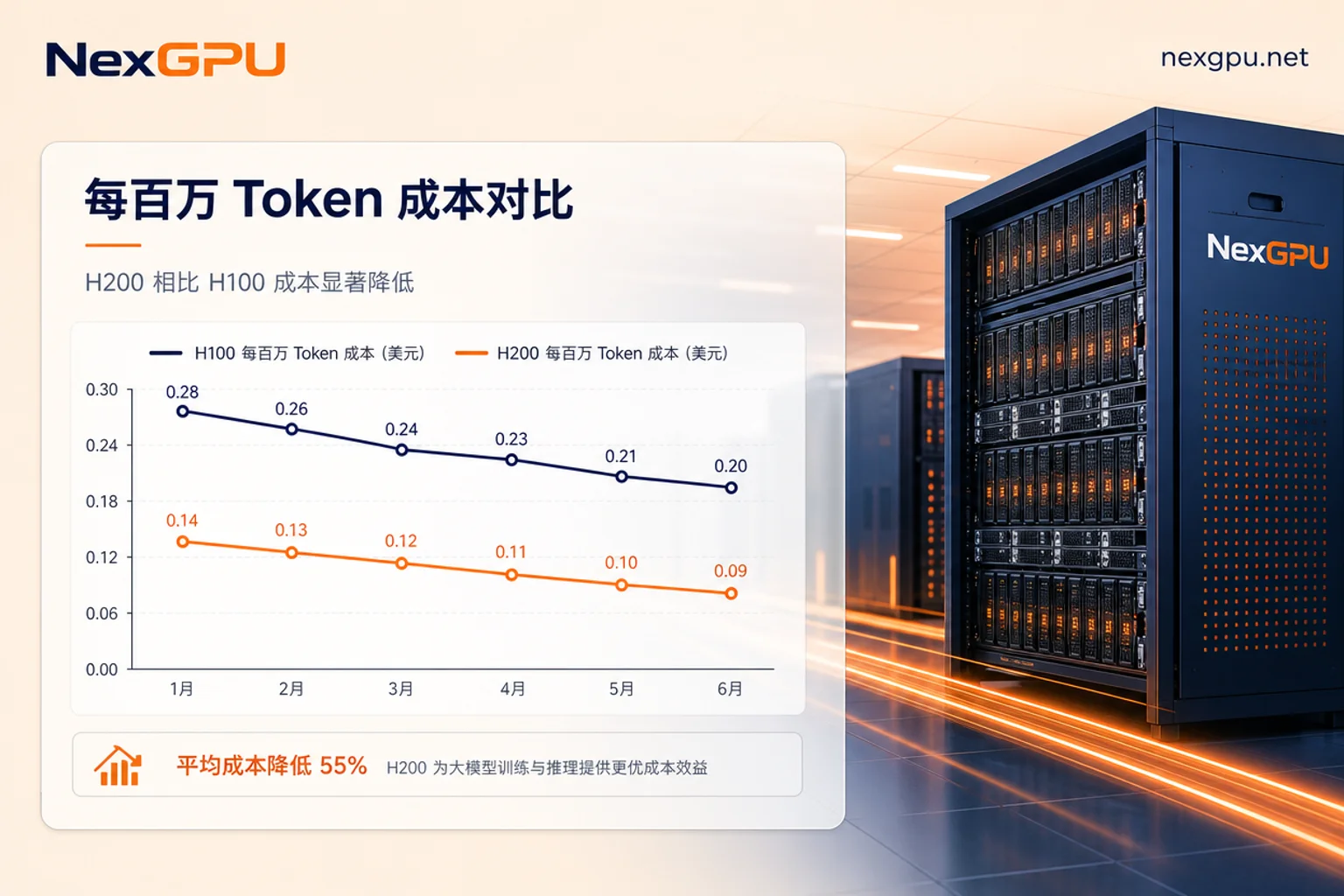
Cost per million tokens = hourly rate ÷ measured throughput tokens/s ÷ 3600 × 1,000,000
Be sure to use your own measured throughput, not official TFLOPS. For instance, if you measure H100 throughput at 3000 tokens/s (indicative value) at $2.50/hour, the cost per million tokens is approximately **$0.23**. However, if the H200 (on the same workload) delivers 40% higher throughput but is only 25% more expensive per hour (indicative values), the unit token cost is actually lower—the threshold is that throughput increase must exceed the price increase. When deciding between H100 and H200, don't just look at hourly rates; use the formula to calculate the actual cost for the same workload.
| Criterion | Decision Threshold (Indicative) | Conclusion Tendency |
|---|---|---|
| VRAM usage | ≤73GB (INT4/AWQ/QLoRA) | Single H100 feasible |
| Context & concurrency | KV cache ≤65GB | Consider H100 |
| Monthly effective full-load hours | >400 hours | Recommend long-term monthly |
| Operator path | No fallback | H100 suitable |
| Unit cost | Lower than alternative GPUs | Worth renting |
Inference Engine Optimizations Can Change the Conclusion: Parallel Techniques Like DCP Improve Throughput Utilization of Existing H100s
By mid-2026, parallel techniques such as Decode Context Parallelism (DCP) introduced by vLLM deployment and SGLang have significantly improved throughput utilization of existing H100 resources for long-text scenarios. This means tasks that previously might have been abandoned due to VRAM or bandwidth constraints on H100 can now run faster. However, this is software-side optimization, not hardware performance improvement.
Therefore, price comparisons must be re-tested on updated framework versions; otherwise, conclusions based on older versions may be inaccurate. Also, don't treat DCP as a “free lunch” for H100—your deployment architecture must support it.
When You Shouldn't Rent an H100: Workloads That Mid-Range GPUs Can Handle
Many scenarios don't require the H100's 80GB and high bandwidth:
- Small models (under 7B) for inference—lower-tier GPUs (like RTX 4090, L40S, or previous-generation data center GPUs) are sufficient; the premium for H100 doesn't translate to proportional output.
- Low-concurrency internal tooling, like running dozens of Q&A sessions daily—pay-as-you-go mid-range GPUs or serverless options are more cost-effective.
- Image generation tasks—these require high VRAM capacity but low compute density, so H100-level compute may not be necessary.
When VRAM needs are less than 40GB and concurrency is low, consider downgrading to make budget efficient.
When You Should Move Up: Three Scenarios Where H100 Clearly Falls Short
Conversely, in these three cases, H100 may be insufficient, making it worth considering H200 rental or B200:
- Ultra-long contexts (e.g., 128K+) with high concurrency: The KV cache repeatedly overflows, and H100's VRAM can't handle it. H200 offers more VRAM per card, making long contexts more manageable (check official specs).
- Large-scale full-parameter training: Frequent cross-node communication may bottleneck H100's inter-card bandwidth; H200 or B200 have stronger per-card performance.
- Hard VRAM requirements: For instance, if you need to run model weights exceeding 80GB, a single H100 can't fit it, so you must move up.
Using the B200's spot price of $3.35–$3.60 as an upper bound, if it can help you avoid multi-node communication overhead, the unit cost may actually be lower.
Running a Side-by-Side Benchmark on Pay-as-you-go Resources: Steps and Decision Checklist
First, calculate using the VRAM allocation formula and unit cost formula, then test on pay-as-you-go resources. Use the same prompt set on H100 and adjacent GPU types (like H200), noting that this is pay-as-you-go and should be kept short to avoid prolonged occupation.
Steps:
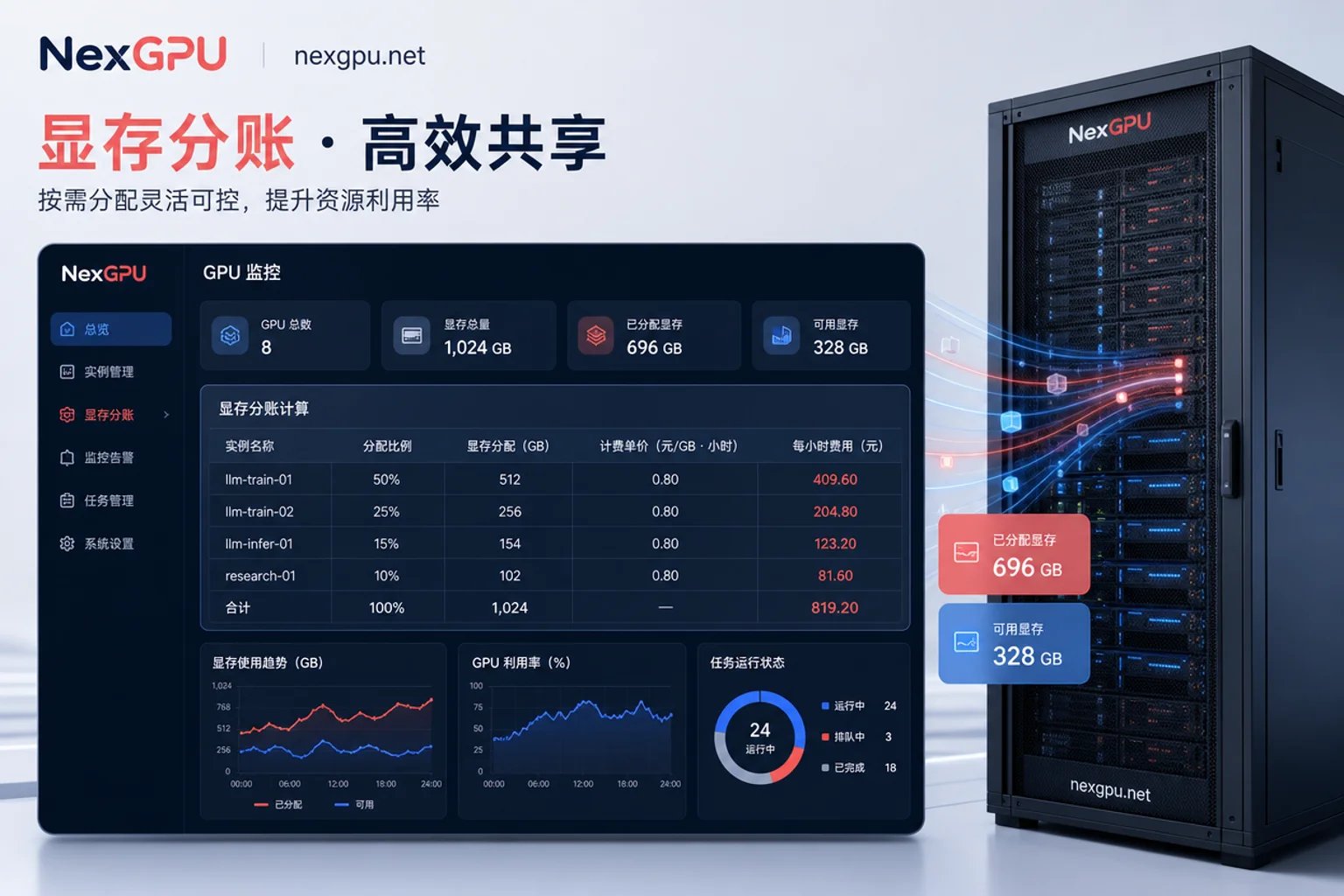
- Fix the same prompt set and concurrency curve, budget within $50–$100; pay-as-you-go resources can be rented by the hour on GPU cloud platforms like NexGPU, and you stop when done.
- Run each GPU type (H100 and candidate like H200) for at least one round—platforms like NexGPU offer multiple GPU server types, facilitating side-by-side comparison with the same prompt set—recording peak VRAM, steady-state throughput, and P95 latency.
- Record the actual billed duration (including startup and queue time);
- Apply the unit cost formula to calculate the cost per million tokens;
- Decide on long-term commitment based on availability and budget.
Decision checklist (check applicable boxes):
- [ ] 70B model under INT4/AWQ/QLoRA fits in single-card VRAM ≤73GB
- [ ] FP16 full-parameter fine-tuning confirmed to need more than 8×H100
- [ ] At target concurrency and context, KV cache usage doesn't squeeze out the space needed for weights (thresholds need to be tested with your own model; example values are indicative)
- [ ] Monthly effective full-load hours >400 (indicative threshold; recalculate based on your unit price and monthly discounts)
- [ ] Acceptable to handle Spot interruptions, willing to use Spot to lower unit price
- [ ] Key operator paths have no fallback on Hopper
- [ ] Measured throughput meets or exceeds nominal expectations
- [ ] Cost per million tokens is lower than alternative GPU types
If most items are checked, H100 rental is a worthwhile option; otherwise, either downgrade or upgrade. Using NexGPU's prebuilt model and application templates can shorten the time from rental to results, reducing idle billing, and then use measured data to decide on long-term locking of specifications.
Frequently Asked Questions
How much does it cost to rent an H100 for an hour?
Mainstream specialized GPU platforms quote pay-as-you-go rates between $1.99 and $2.99 per GPU-hour, with a market median of approximately $2.29–$3.12. Hyperscale cloud providers may charge higher per-GPU equivalents, depending on region and contract. Check the platform's real-time pricing page for the most accurate rates.
Does 80GB of VRAM suffice for a 70B model?
It depends. With 4-bit quantization (like AWQ) for inference or QLoRA fine-tuning, a 70B model requires roughly 35–73GB, which fits on a single H100. But FP16 full-parameter fine-tuning needs over 1TB, so a single card is insufficient; you'd need a multi-GPU cluster.
Which is more cost-effective: H100 or H200?
Don't just look at hourly rates; calculate unit output cost. H200 is more expensive per hour but may deliver higher throughput due to more VRAM and bandwidth. Use the formula: cost per million tokens = hourly rate ÷ measured throughput ÷ 3600 × 1e6, and choose whichever is lower.
How do you calculate the cost of renting an H100 on a pay-as-you-go basis?
Cost = hourly rate × actual billed duration, plus any storage and network fees. Hidden costs come from idle time—instances that are on but not running tasks still incur charges. Using Spot or reserved modes can lower unit price but carries interruption risk.
Is the H100 still worth renting after the price drop?
Yes, but it depends on your workload. If your tasks saturate the 80GB VRAM, involve model fine-tuning, or high-concurrency inference, the H100's current price range offers an advantage. For lighter workloads, mid-range GPUs may be more cost-effective. I recommend testing on pay-as-you-go resources before committing.




Comments(0)