 NexGPU-算力租赁,GPU服务器,GPU云算力,AI服务器租用-新闻博客
Here are the conclusions upfront: Llama3 70B distributed fine-tuning compute requirements depend on two variables—fine-tuning method and sequence length. For full-parameter FP16 with FSDP/ZeRO-3, you need at least 4×80GB, with 8×80GB as a common configuration. FSDP+QLoRA 4-bit can drop to 2-4 mid-range cards of 24GB/48GB. Once sequence length exceeds 8k or if there is no NVLink between GPUs, re-evaluate your tier. Below is a four-tier comparison table to help you locate your scenario.
| Tier | Fine-tuning Method | Sequence Length | Recommended Config | Use Case |
|---|---|---|---|---|
| Tier 1 | Full-parameter FSDP/ZeRO-3 (FP16/BF16) | 2k-8k | 4×80GB (A100/H100) | Tight config for short sequences, small batch |
| Tier 2 | Full-parameter FSDP/ZeRO-3 (FP16/BF16) | 8k+ or large batch | 8×80GB (A100/H100) | Headroom for long sequences, production-grade |
| Tier 3 | FSDP+QLoRA 4-bit | ≤2k (with heavy offload) | 4×24GB/48GB is a safe starting point; 2×24GB only works for 512-1024 short sequences + CPU offload | Short sequences, acceptable offload |
| Tier 4 | FSDP+QLoRA 4-bit | 8k+ or high throughput | 4×24GB, 2×48GB, or single 80GB+ | Long sequences or performance-focused, avoid OOM |
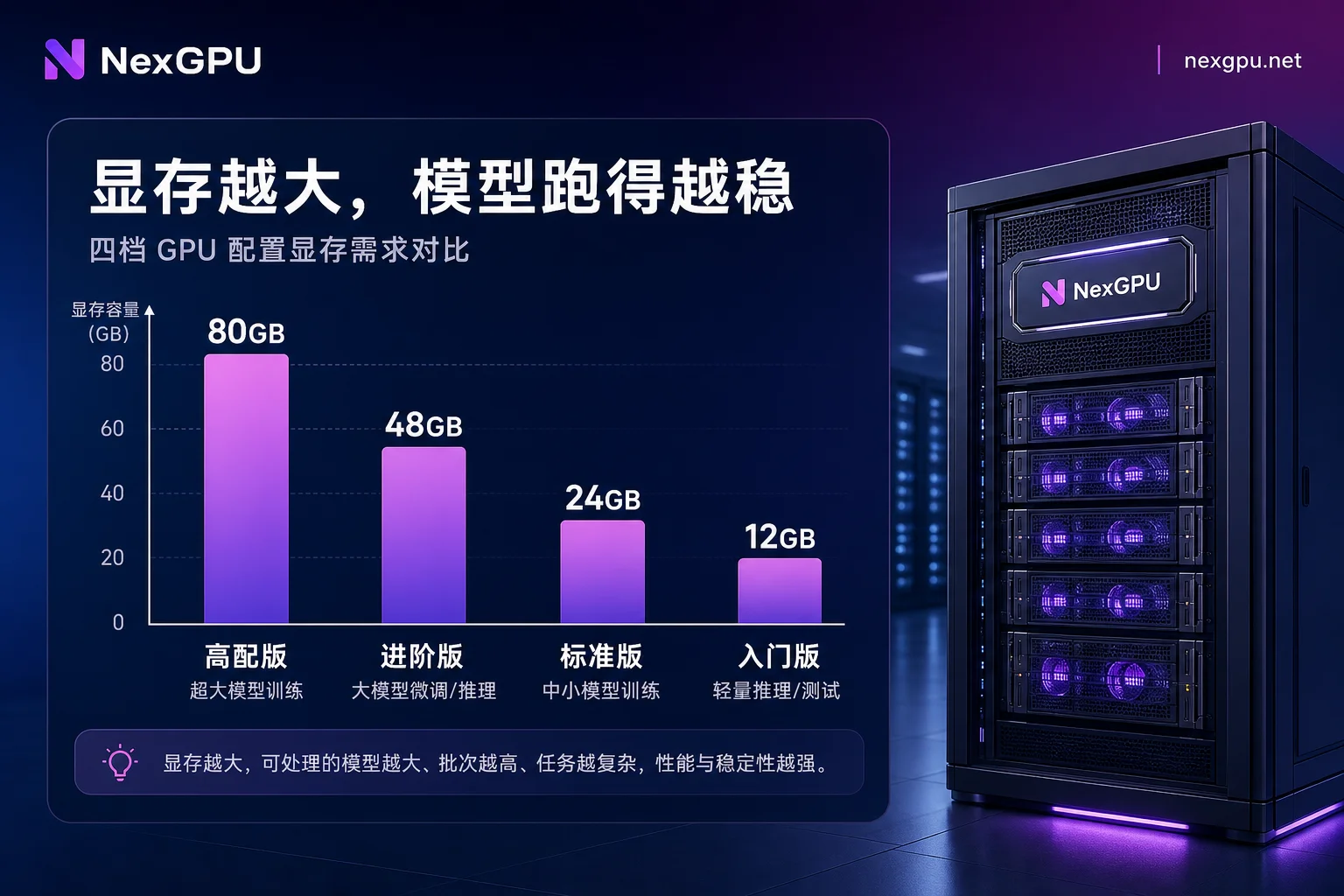
The core logic of this table: the number of GPUs is not determined solely by parameter count, but by both fine-tuning method and sequence length. The community claim that "2×24GB can run QLoRA 70B" is mostly based on 512-1024 short sequences and heavy CPU offload. In production, with 4k-8k sequences, 2×24GB easily hits OOM.
First Calculation: 140GB of Weights is Just the Starting Point—How Much Do Optimizer States and Gradients Consume?
Why does full-parameter fine-tuning require 400GB+ VRAM? Because a 70B model in FP16/BF16 has static weights of about 140GB (this number comes from Lyceum's 2026 engineering guide). But fine-tuning is not inference. Besides weights, you need to fit optimizer states, gradients, and activations in VRAM. AdamW requires additional momentum and variance per parameter, about 8-12 bytes per parameter, making it the second-largest VRAM consumer after weights. Combined with gradients and activations, total VRAM demand typically reaches 400GB-600GB+. This is why full-parameter fine-tuning must use 80GB cards, usually 4 or 8 cards—a single 24GB card is mathematically infeasible, as explained later.
If you're struggling with multi-GPU configuration, this DeepSpeed Multi-GPU Distributed Training Pitfalls Guide covers many memory allocation and communication issues.
Second Calculation: Activations Grow with Sequence Length—What's the Difference Between 2k and 8k?
Weights, optimizer states, and gradients are independent of sequence length, but activations grow exponentially with sequence length. That's why the same GPU setup that works at 2k OOMs at 8k.
Solutions in priority order: enable gradient checkpointing (trade compute for VRAM, typically saving most activations), reduce batch size, and finally shorten sequence length. If your VRAM budget is fixed, doubling sequence length from 2k to 8k can multiply activations severalfold, requiring either more GPUs or accepting a smaller batch.
Full-Parameter Route: Where's the Dividing Line Between 4×80GB and 8×80GB?
Regarding Llama3 70B distributed fine-tuning compute requirements, the first milestone in the full-parameter route is 4 vs. 8 GPUs. Should you use FSDP or ZeRO-3? Both shard weights, optimizer states, and gradients across GPUs, with similar ideas and slight engineering differences. For 70B, 4×80GB is tight, suitable for sequence lengths of 2k and small batches; 8×80GB provides headroom for 8k sequences and larger batches.
The exact dividing line depends on sequence length, batch size, and whether CPU/NVMe offload is enabled. If you don't want offload, go straight to 8×80GB for 8k sequences; for short sequences and small batches, 4×80GB suffices.
QLoRA Route: How 4-bit Sharding Lowers the Bar to 2-4 Mid-Range GPUs
To fine-tune 70B on mid-range GPUs, use FSDP+QLoRA 4-bit. According to Philschmid's 2024 technical blog, quantized base model weights plus LoRA trainable parameters can reduce overhead to the 40GB-50GB range. This means 2-4 24GB/48GB GPUs (RTX 4090/A10G/L40S) have a chance.
But be aware: the community's "2×24GB is enough" conclusion is often based on short sequences and heavy offload. For 4k-8k sequences, aim for 4×24GB, 2×48GB, or a single 80GB+. If you're currently running QLoRA 70B on an RTX 4090, short sequences are fine, but sequences above 4k will likely trigger OOM. For similar-scale model quantization pipelines, see Qwen2.5-72B Multi-GPU Quantization Deployment Tutorial.
Overlooked Variable: How Inter-GPU Bandwidth Determines Time per Step
FSDP performs All-Gather and Reduce-Scatter every forward and backward pass, leading to high inter-GPU communication frequency. If nodes lack NVLink and rely only on PCIe, communication bandwidth becomes a bottleneck, drastically reducing compute utilization.
So when choosing a multi-GPU node, verify whether inter-GPU connectivity is NVLink or PCIe. Without NVLink, it still runs, but per-step time may be several times slower, especially with long sequences. If you encounter VRAM-related errors while setting up, this GPU Out of Memory: How to Fix It guide can help.
Why "Single 24GB GPU Full-Parameter Fine-Tune 70B" Is False
Occasionally you see claims like "24GB GPU can full-parameter fine-tune 70B." That's a misconception. A 70B model in FP16 requires 140GB for weights alone. Single-GPU inference requires quantization; full-parameter fine-tuning needs hundreds of GB of VRAM. 24GB is mathematically and architecturally infeasible.
What is possible is 4-bit quantization with low-rank adaptation (QLoRA), but that's not full-parameter updates—it freezes base weights and trains only a small number of LoRA parameters. So next time you see such claims, check if they're confusing "quantization + LoRA" with "full-parameter."
Selection Decision Tree: Reverse-Engineer GPU Count from Fine-Tuning Method and Sequence Length
Here's a four-step decision chain to break down Llama3 70B distributed fine-tuning compute requirements:
- Determine the fine-tuning method: full-parameter or QLoRA? Full-parameter skips to step 3; QLoRA continues.
- Determine sequence length: short (≤2k) can consider 2×24GB; production-grade (4k-8k) recommends 4×24GB or 2×48GB.
- Confirm interconnect topology: NVLink is preferred; otherwise, increase GPU count or reduce sequence length. When confirming, you can use platforms like NexGPU to verify node-level NVLink or PCIe before ordering.
- Finally, settle on GPU count and per-GPU VRAM: full-parameter starts at 4×80GB, 8×80GB is safer; QLoRA follows the above tiers.
A side note: if you're choosing between multi-GPU options, this RTX 4090 Multi-GPU vs. A100 Single-GPU Training Guide is closely related to 70B fine-tuning and worth a look.
Using On-Demand Resources for a Real VRAM Peak Test: What Metrics to Record
After theoretical calculations, it's best to run a real test using on-demand resources. Specifically, run a few dozen steps on a small-scale instance and record these metrics:
- Steady-state VRAM peak: highest VRAM usage during stable training.
- Step position of the peak: usually occurs when switching from forward to backward.
- Difference before and after enabling gradient checkpointing: clear view of VRAM savings.
- VRAM increment when sequence length doubles: helps estimate feasibility at 8k.
- Communication wait ratio: if GPU utilization is low, communication is likely the bottleneck.
NexGPU, as a GPU cloud computing and AI server rental platform, offers a variety of GPU models with on-demand usage. You can rent a small-scale node to run a real test to confirm which tier you fall into and whether communication is a bottleneck, then decide whether to reserve high-end 80GB multi-GPU or mid-range multi-GPU nodes long-term, avoiding locking in high-end configurations from the start.
Configuration Checklist and Four Common Misjudgments
Finally, review the four common pitfalls in Llama3 70B distributed fine-tuning compute requirements:
| Check Item | Common Misjudgment | Corrective Action |
|---|---|---|
| VRAM allocation | Overlooking optimizer states and gradients | Estimate completely: weights + optimizer states + gradients + activations |
| Sequence length | Applying 2k conclusions to 8k scenarios | Doubling sequence length multiplies activations; re-estimate VRAM |
| Interconnect topology | Not confirming PCIe vs. NVLink | Prioritize NVLink when selecting GPUs; otherwise communication becomes bottleneck |
| QLoRA threshold | Using short-sequence conclusions for long sequences | For 4k-8k sequences, allocate 4×24GB or 2×48GB |
Frequently Asked Questions
How many A100s are needed for Llama3 70B fine-tuning?
Full-parameter fine-tuning requires at least 4 A100 80GB; 8 is recommended for long sequences or large batches. QLoRA 4-bit can drop to 2-4 mid-range 24GB/48GB cards, but long sequences suggest 4 or more.
How much VRAM does full-parameter fine-tuning of 70B require?
Weights are about 140GB; adding optimizer states and gradients brings total system requirement to roughly 400GB-600GB. So at least 4×80GB, with 8×80GB being safer. A single 24GB card is insufficient.
Can QLoRA fine-tuning of 70B be done with a 4090?
Yes, but only for short sequences (≤2k) with offload enabled. For production 4k-8k sequences, recommend 4×24GB or 2×48GB; a single 4090 is likely to OOM.
Which is better for fine-tuning 70B: FSDP or ZeRO-3?
Both use the same sharding concept. FSDP is PyTorch's native implementation; ZeRO-3 comes from DeepSpeed. Functionally, both work; the choice depends on your training framework. The key is VRAM budget and GPU count.
What if VRAM is insufficient for 70B fine-tuning with 8k sequence length?
First, enable gradient checkpointing. Then reduce batch size. If still insufficient, decrease sequence length or increase GPU count. Activations grow exponentially with sequence length; 8k may require several times more VRAM than 2k.
Is lack of NVLink a big issue for multi-GPU fine-tuning?
It's significant, but it still runs without NVLink. FSDP requires All-Gather/Reduce-Scatter each step; low PCIe bandwidth leads to increased communication time and reduced compute utilization. This is more pronounced with long sequences.




Comments(0)