 NexGPU-算力租赁,GPU服务器,GPU云算力,AI服务器租用-新闻博客
The same 7B model can be fine-tuned with QLoRA on a single 24GB consumer card, yet full-parameter fine-tuning requires several 80GB cards with parameter sharding. The difference isn't the model itself, but what gets stored in GPU memory during training. So the selection order is always: first decide the training approach, then calculate memory, and finally decide the number of cards and interconnect.
Card Positions for Four Training Tiers
Start with a direct reference point. For more detailed memory requirements per model, the official model card selection guide provides specifics. Here's the decision logic:
- QLoRA (4-bit quantized base + adapter): For 7B~14B models, a single 24GB card (like RTX 4090) suffices, provided Gradient Checkpointing and FlashAttention are enabled.
- LoRA (BF16 base + adapter): For 7B, 24GB is tight, especially with long sequences; for 13B~34B, a single 48GB or 80GB card is recommended.
- Full fine-tuning: For 7B, you need multiple 80GB cards with ZeRO-3 or FSDP; a single 80GB card cannot handle it directly.
- Pretraining from scratch or full fine-tuning of 70B-class: Requires a data-center-grade multi-GPU cluster with NVLink-level interconnect.
If your task falls into the first two tiers, the remaining decisions are straightforward; for the latter two, card count and topology become the primary cost drivers.
Training Memory Consists of Four Components
Inference memory is basically weights plus KV cache. Training needs three additional components. Using FP16/BF16 mixed precision and AdamW optimizer, per parameter:
- Model parameters: about 2 bytes;
- Gradients: about 2 bytes;
- Optimizer states: FP32 master weights + first moment + second moment, totaling about 12~16 bytes;
- Activations: not based on parameter count but grow with sequence length, batch size, and layer count; often the most overlooked.
Adding the first three, full-parameter training needs roughly 16~20 bytes per parameter. For a 7B model, static overhead exceeds 100GB, not counting activations—so the intuition that "80GB card can fit 7B full training" is wrong. You must use ZeRO-3 or FSDP to shard parameters, gradients, and optimizer states across cards, and use activation recomputation to control the fourth component.
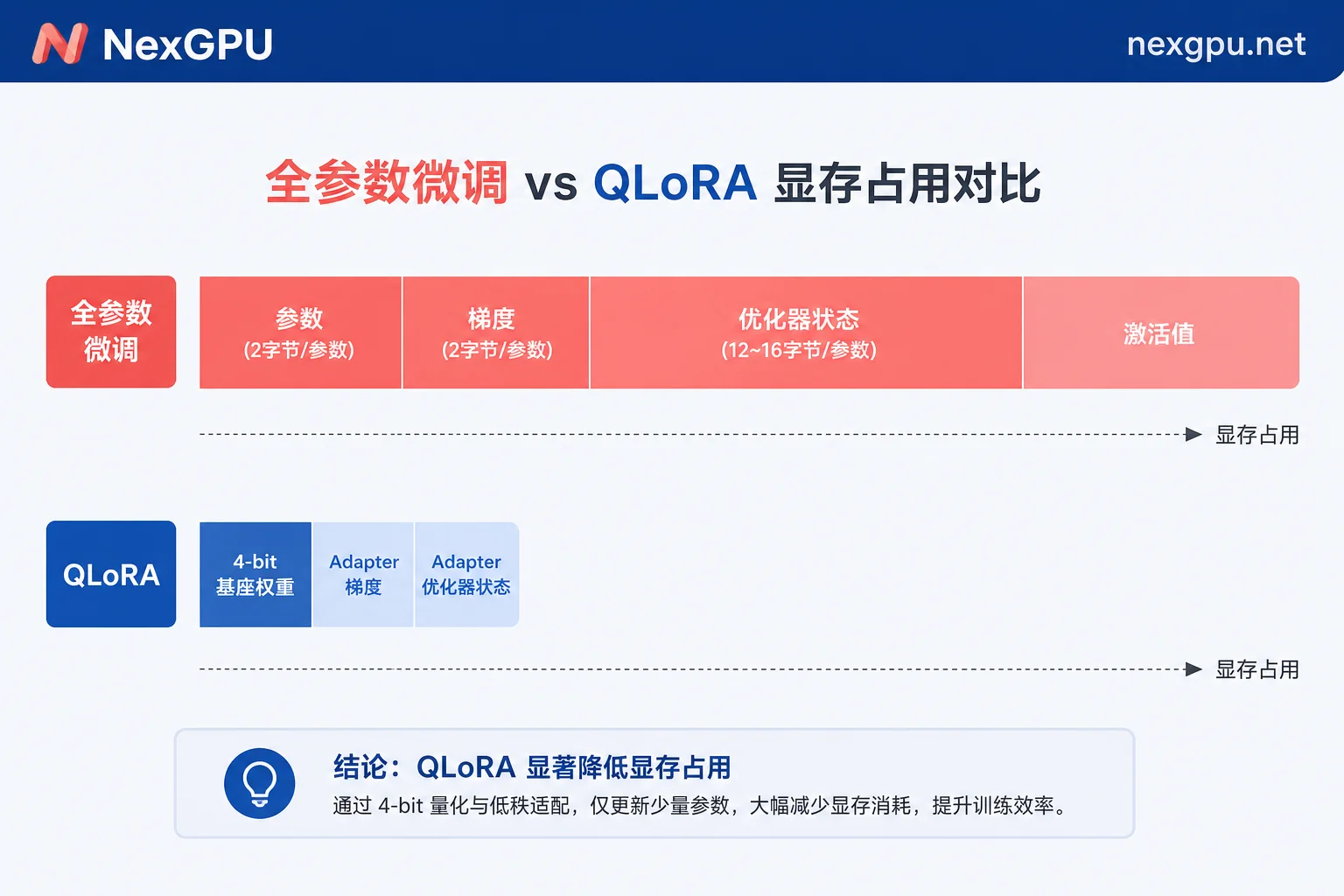
LoRA saves memory because the base weights are frozen: no gradients or optimizer states. QLoRA goes further by loading the base quantized to 4-bit, so 7B weights take about 5GB. Only the small adapters need gradient computation. Naturally, it fits on a 24GB card. For quantized memory impact, see FP8 and INT4 quantization effects on GPU memory.
When Memory Is Insufficient: Shard First or Add Cards?
If you hit OOM, don't rush to buy a bigger card. Try these in order of increasing cost:
- Reduce batch size and sequence length: Activations are the only part that grows linearly or faster with these; adjusting them is cheapest.
- Enable Gradient Checkpointing (activation recomputation): Use about 20%~30% extra compute time to swap out most activation memory; almost mandatory for long sequences.
- Switch to efficient attention implementations: FlashAttention variants reduce the memory of attention intermediate matrices from quadratic in sequence length. Details in FlashAttention-3 memory and speed optimization.
- Change training method: Full fine-tuning to LoRA, LoRA to QLoRA. If acceptable, this yields much greater returns than adding cards.
- Only then consider adding cards plus ZeRO-3/FSDP sharding.
To pinpoint where OOM occurs, see How to resolve GPU Out of Memory.
The Bottleneck in Multi-Card Scenarios Is Often Not the Cards Themselves But the Interconnect
Once you go multi-card, inter-card communication bandwidth directly determines the speedup you achieve.
Consumer GPUs lack NVLink; cross-card communication uses PCIe. In pure data parallelism where each card holds a full model copy and only synchronizes gradients, the impact is acceptable. But when tensor parallelism or ZeRO-3 is used—which requires All-Gather for parameters and All-Reduce for gradients every forward/backward step—communication volume skyrockets, saturating PCIe bandwidth quickly. You'll see "doubling cards yields only 30% speedup."
Data-center GPUs like A100/H100 offer NVLink at 600~900 GB/s, designed to handle such high-frequency communication. The rule of thumb:
- If each card can hold the full model and optimizer states → data parallelism suffices; consumer multi-card is cost-effective.
- If you must shard to fit (ZeRO-3, tensor parallelism, pipeline parallelism) → prioritize data-center cards with NVLink, otherwise communication overhead will negate scaling benefits.
For 70B-level distributed fine-tuning specifics—how many cards and memory per card—Llama3 70B distributed fine-tuning compute requirements provides detailed calculations. Common pitfalls in ZeRO are covered in DeepSpeed multi-card distributed training pitfalls guide.
Recommended Rental Sequence: Validate Small First, Then Scale
On hourly rental, the biggest waste is starting a multi-card machine and spending hours setting up the environment. More efficient:
Step 1: Run the pipeline on minimal configuration. Choose a prebuilt image template with PyTorch or training framework to avoid driver and dependency setup. Rent a cheap card; get data loading, tokenizer, LoRA config, logging, and checkpoint saving working. Run a few dozen steps to confirm loss decreases. You only need enough memory for the minimal batch. For version alignment, follow CUDA Toolkit configuration verification.
Step 2: Use the actual peak memory measured in step 1 to select the card for production training. Use nvidia-smi or the framework's memory profiler for real usage. This beats any formula, especially for activations—going from 2k to 8k sequence length can multiply activation memory severalfold, hard to predict via formula.
Boundaries of Billing and Data: Stop ≠ Stop Billing
Training tasks run hours to days, and interruptions are common. Two rules must be clear upfront.
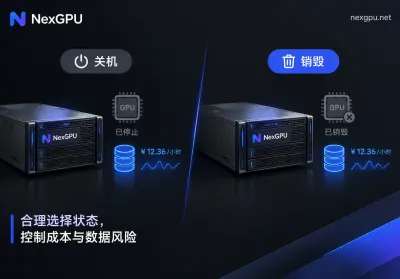
Billing terms: On NexGPU, billing includes only compute, storage, and traffic. Hourly billing with per-second metering, no minimum, no contract. Price at order time locks until instance termination. Stop releases compute but storage still accrues; only Destroy ends all billing. This dictates your cleanup sequence: training done → transfer weights/checkpoints to your storage → verify files → then destroy the instance. If reversed, data loss. Full terms in billing description.
Checkpoint strategy: Set periodic saves for long tasks, with frequency matching the cost of re-running; if you can tolerate at most an hour of lost progress, save at least hourly. Checkpoints consume significant disk—full fine-tuning checkpoints include optimizer states, potentially several times the model weight. Keeping too many will inflate storage costs. For retention and recovery, see Cloud GPU long task interrupt recovery and checkpoint settings.
Common Errors to Avoid
- Only counting parameter weights: Assuming 7B×2 bytes = 14GB for training misses the 14~18 bytes for gradients and optimizer states—nearly tenfold difference.
- Ignoring sequence length: The same config that runs fine with 2k context may OOM with 32k long-context data; the issue is activations, not weights.
- Applying inference assumptions to training: A model that runs on a single card for inference may not for training due to different memory structures. See How to choose GPUs for inference for differences.
- Assuming linear scaling: Multi-GPU without NVLink suffers significant degradation in communication-heavy parallelism; benchmark actual speedup before expanding.
Once you've figured out which tier you're in, check pricing and available nodes to see current options. For multi-GPU clusters or long-term training, contact page is faster; Telegram support available in Chinese and English.



Comments(0)