 NexGPU-算力租赁,GPU服务器,GPU云算力,AI服务器租用-新闻博客
In the rapidly evolving landscape of AI large models, choosing a rational GPU rental strategy has become the core key to controlling the Total Cost of Ownership (TCO) for AI R&D and operations. With NVIDIA's Blackwell architecture (e.g., B200) entering the scaling deployment phase, the structure of compute supply has undergone profound changes. The old procurement mindset of focusing solely on "per-hour rental rates" is being replaced by "per-token efficiency."
According to multi-source public monitoring data from the compute market in July 2026, pricing for mainstream GPU cloud compute is showing a clear trend of stratification. Understanding the VRAM bottlenecks and memory bandwidth differences across models can help teams avoid 30% to 50% resource waste in model training and inference deployment.
1. July 2026 Mainstream GPU Rental Price and Parameter Horizontal Comparison
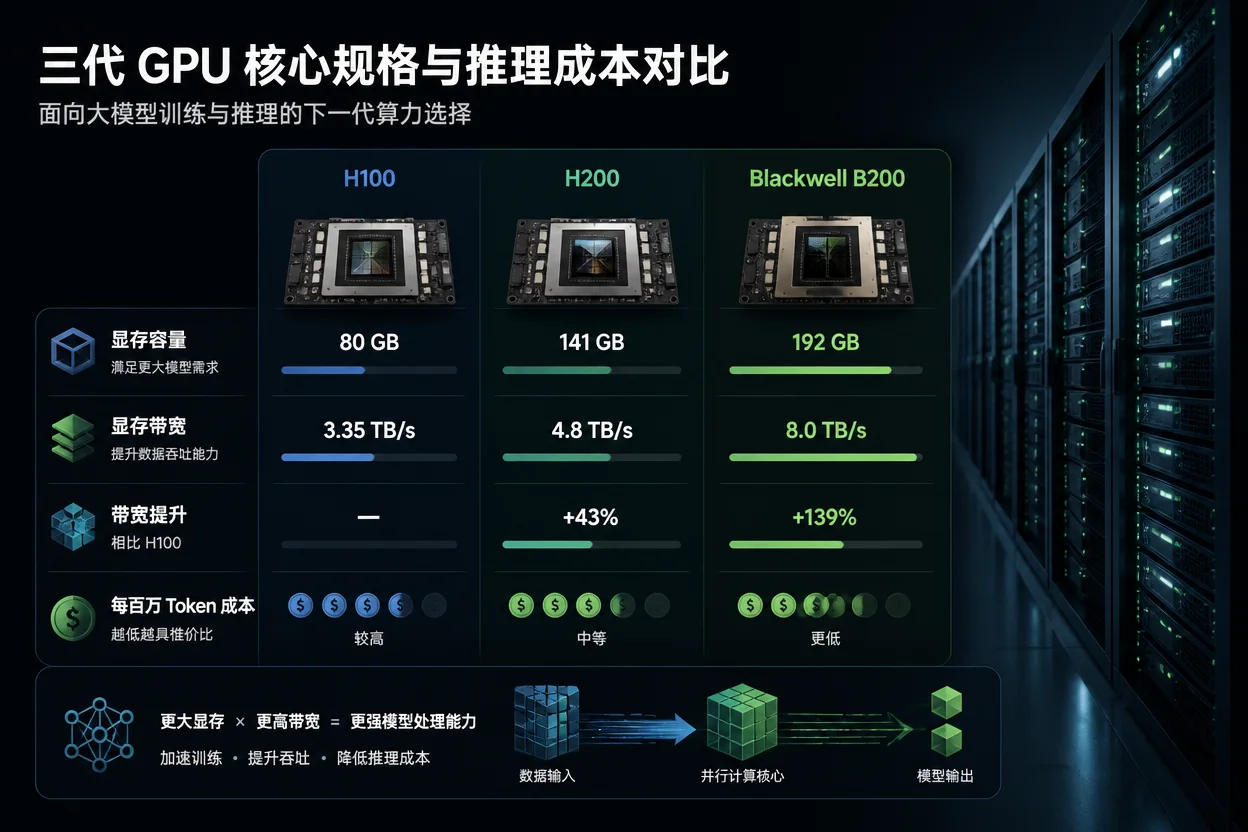
Hardware parameters (VRAM capacity, memory bandwidth, and precision support) determine the model's operational efficiency and maximum concurrency. Below is the reference benchmark for on-demand cloud rental of mainstream chips in July 2026:
| GPU Model | VRAM Specifications | Memory Bandwidth | On-Demand Reference Hourly Rate (July 2026) | Best Use Cases |
|---|---|---|---|---|
| NVIDIA H100 SXM | 80GB HBM3 | 3.35 TB/s | $1.80 - $3.50 / hour | 7B-70B fine-tuning, medium-concurrency inference |
| NVIDIA H200 SXM | 141GB HBM3e | 4.8 TB/s | $2.50 - $4.50 / hour | 70B single-card FP8 inference, long context and large KV cache |
| Blackwell B200 | 192GB HBM3e | 8.0 TB/s | $3.70 - $7.00 / hour | 160B+ and 671B MoE extreme throughput and NVFP4 deployment |
| RTX 4090 / 5090 | 24GB / 32GB GDDR | 1.0 - 1.79 TB/s | $0.40 - $0.70 / hour | 7B-14B lightweight debugging, prototype validation, and edge testing |
Note: The above price statistics are based on public on-demand quotes from mainstream professional compute cloud platforms in data centers in July 2026, excluding spot or long-term monthly discounts.
2. Deciphering the Compute Cost Ledger: Why "Low-Priced GPUs" Can Be More Expensive?
In the generative AI inference (decode) phase, the bottleneck is usually not compute TFLOPS but memory bandwidth. Model weights need to be reloaded into VRAM for each generated token:
- VRAM Capacity and Concurrency Limits: Take a 70B model (FP8 precision, approximately 70GB weights) as an example. The remaining KV cache space on the H100 80GB is extremely small, and a slight increase in concurrency can lead to Out of Memory (OOM). In contrast, the H200's 141GB VRAM can accommodate a higher batch size (e.g., 128 vs. 64), boosting overall throughput by more than 50%.
- Per-Token Cost Calculation Formula:
$$\text{Unit Token Cost} = \frac{\text{GPU hourly rate}}{\text{Tokens generated per second} \times 3600}$$
Although the H200's on-demand hourly rate is about 25%-35% higher than the H100's, its 4.8 TB/s bandwidth yields higher throughput, making the actual per-token cost lower.
3. NexGPU Pay-as-You-Go Cloud Compute: Flexible Response to Multimodal and Large Model Deployment Scenarios
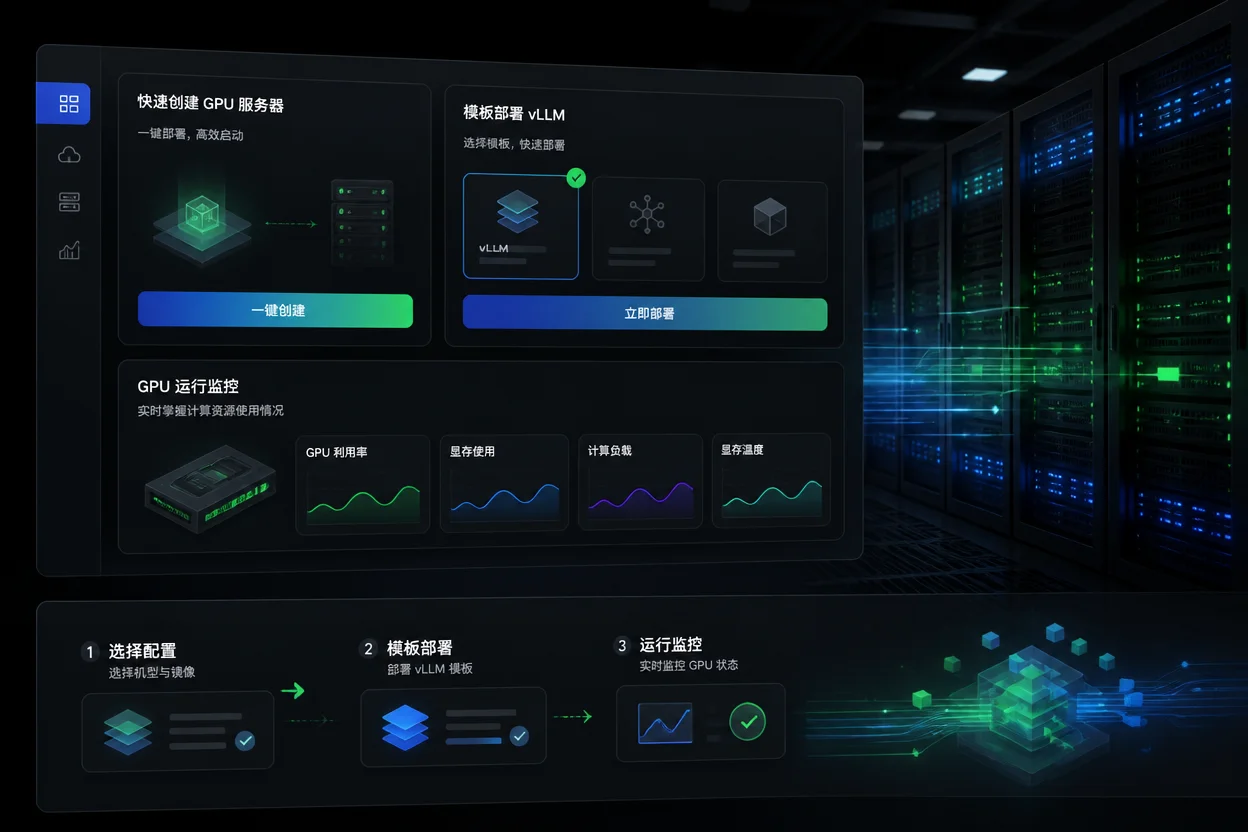
Faced with the complexity of GPU model configurations and compute cost management, choosing the right compute platform can significantly improve deployment efficiency. NexGPU, as a professional GPU cloud compute and AI server rental platform, provides flexible elastic resource support for AI developers, engineers, and research teams.
In real business scenarios, NexGPU covers a range of GPU models from RTX consumer cards to high-performance AI servers like H100 and H200. The platform supports pay-as-you-go and instant startup modes, allowing developers to avoid high hardware purchase costs or long-term contract commitments. Additionally, to address the pain points of complex large model deployment workflows, the platform offers pre-built models and application templates, integrating mainstream deep learning frameworks and inference engines like vLLM and SGLang, enabling one-click environment setup and significantly reducing the hassle of environment configuration.
4. High-Cost-Performance GPU Deployment and Practical Pitfall Avoidance Checklist
To achieve the best cost-benefit ratio in actual projects, it is recommended to follow these steps for selection and deployment:
Step 1: Accurately Assess VRAM and Precision Requirements
- 7B - 14B parameters: It is recommended to opt for single-card RTX 4090/5090 or L40S, which offer a clear cost advantage in low-concurrency scenarios.
- 70B parameters (FP8/INT4 quantization): Choose a single H200 (141GB) or dual H100 to ensure sufficient KV cache headroom.
- MoE super-large models (e.g., DeepSeek architecture): It is recommended to use multi-card H200 clusters or Blackwell B200 nodes for Tensor & Expert Parallel deployment.
Step 2: Optimize Inference Engine Parameters
When deploying with vLLM or SGLang, be sure to configure PagedAttention and Continuous Batching. Example deployment command:
python3 -m vllm.entrypoints.openai.api_server \
    --model meta-llama/Llama-3-70b-Instruct \
    --tensor-parallel-size 2 \
    --gpu-memory-utilization 0.92 \
    --max-num-batched-tokens 8192
Step 3: Avoid Hidden Cost Traps
- Check whether data transfer (egress) fees are included in the base bill.
- Confirm whether NVMe high-speed cache storage supports on-demand binding and rapid mounting.
Summary and Actionable Recommendations
In the 2026 AI compute market, blindly pursuing lower per-hour rental prices often leads to low throughput and skyrocketing overall bills. Dynamically selecting H100, H200, or Blackwell B200 based on your specific model's VRAM requirements and concurrency is the key path to efficient scheduling.
If you are evaluating the deployment plan for your next AI model, consider trying the NexGPU platform. With its instant-use GPU server instances and pre-built image templates, you can quickly validate the per-second token throughput of different GPU models under actual workloads, and accelerate your AI business with the most cost-effective compute combination.




Comments(0)